

Projects
Shipped Projects with a versioned brief, owned records, a pause switch, a daily send limit and project tokens, in the web app, the REST API and the MCP server.
A workspace usually runs more than one motion at once: say, month-end close software for CFOs in Australia, and a partner offer for agencies in the UK. Each needs its own story, its own domains and mailboxes, and its own budget, and an agent working on one should never touch the other. A project is one of those motions: one offer, sold to one kind of customer, in one market.
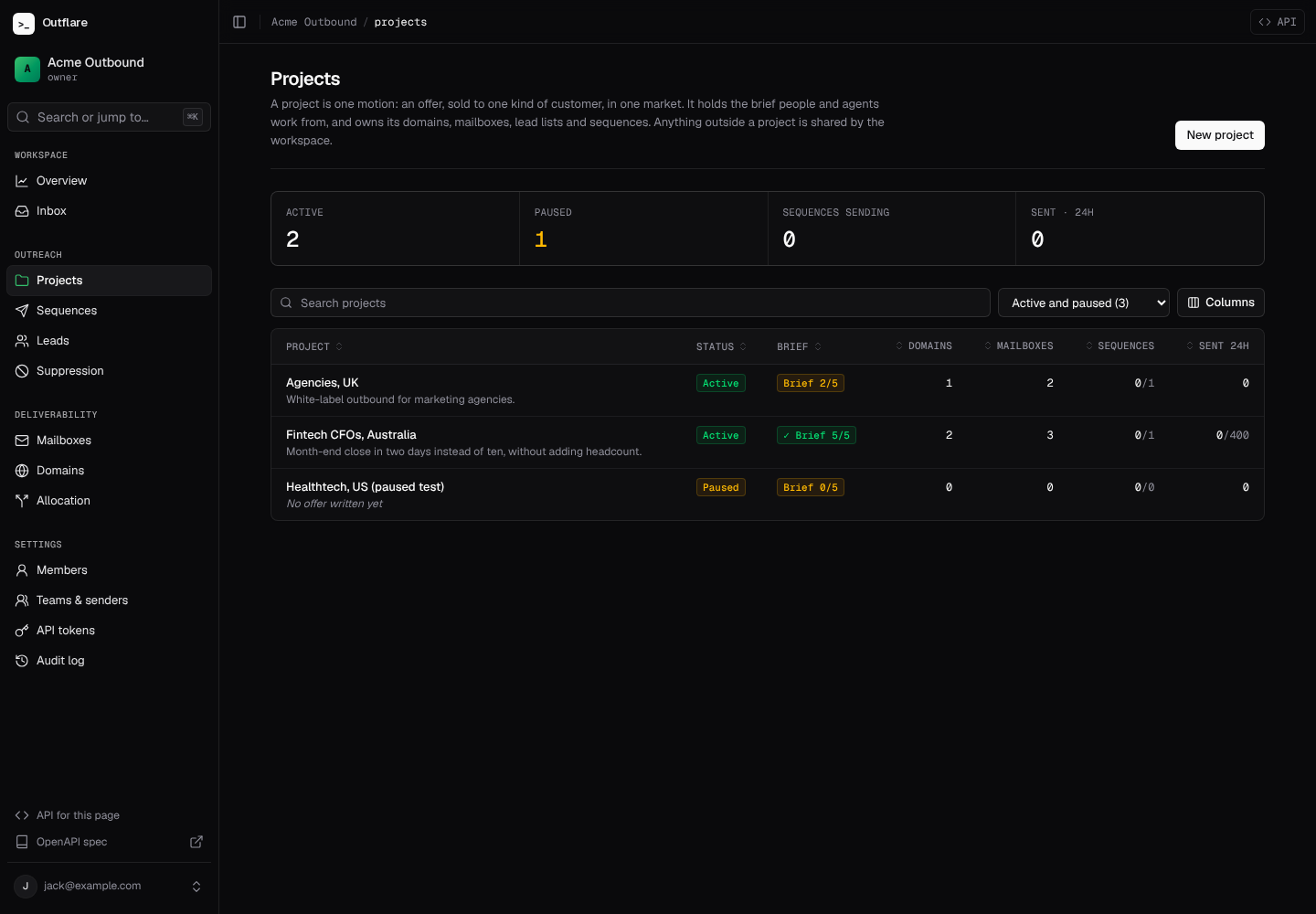
What a project holds
Section titled “What a project holds”- The brief. What people and agents work from before they write copy or build a list.
- The records that run the motion. Sending domains (with their mailboxes), mailboxes, lead lists and sequences. Anything not in a project is shared by the workspace, which is the default, so you only need projects when you have more than one motion.
- One switch and one limit. Pause the project to hold every send from its sequences at once, and give it a daily send limit that caps them together.
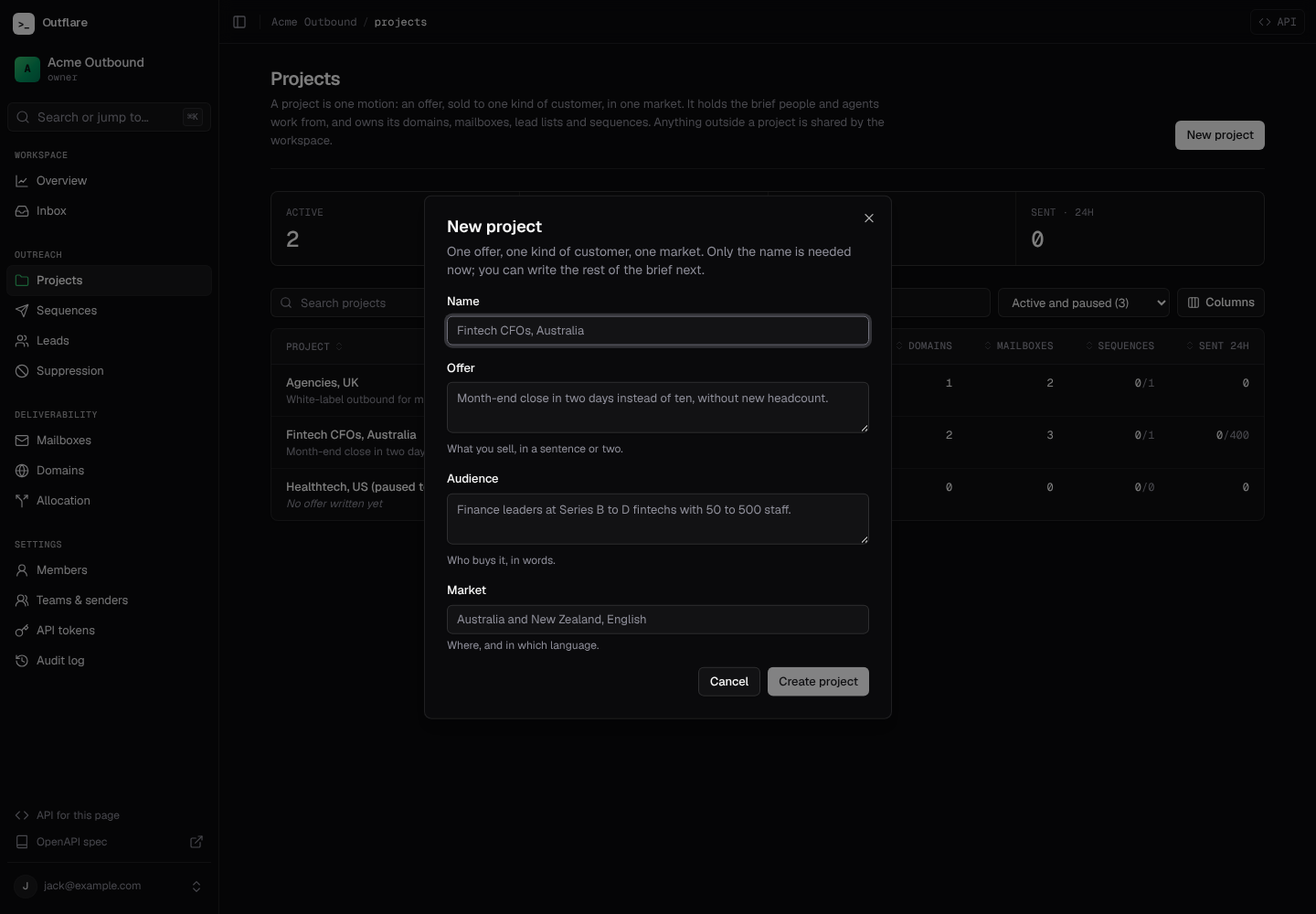
Create one from Projects → New project with a name (unique in the workspace) and, if you have them, the offer, audience and market. You can fill in the rest later.
The brief
Section titled “The brief”The brief has three parts:
| Part | What goes in it |
|---|---|
| Offer, audience, market | One line each, in words: what you sell, who to, and where (country, region, language). |
| Ideal customer | Filters a data provider or agent can use: titles, seniority, industries, company size, locations and keywords. |
| Written brief | Markdown, up to 100,000 characters: messaging, proof points, objections and how to answer them, words to avoid. |
The list shows how complete each brief is, out of five: offer, audience, market, ideal customer and written brief.
Every change bumps the brief’s version. Saving without a real change does not. Send the version you started from as brief_version with an edit, and if someone else changed the brief in the meantime the edit is refused with 409 brief_changed instead of overwriting them. In the web app you get a Load the latest version button; an agent re-reads the brief and tries again. Leaving the page with unsaved brief changes asks you first.
Agents read the whole brief as structured fields plus one Markdown document:
curl https://outflare.example.com/v1/workspaces/$WS/projects/$PROJECT/brief \ -H "Authorization: Bearer $OUTFLARE_TOKEN"{ "project_id": "…", "name": "Fintech CFOs, AU", "status": "active", "version": 3, "offer": "Month-end close in two days", "audience": "CFOs at Series B fintechs", "market": "Australia, English", "icp": { "titles": ["CFO", "VP Finance"], "employee_ranges": ["51-200"], "seniorities": [], "industries": [], "locations": [], "keywords": [] }, "brief": "Lead with the audit story…", "markdown": "# Fintech CFOs, AU\n\n## Offer\n\nMonth-end close in two days\n…"}What a project owns
Section titled “What a project owns”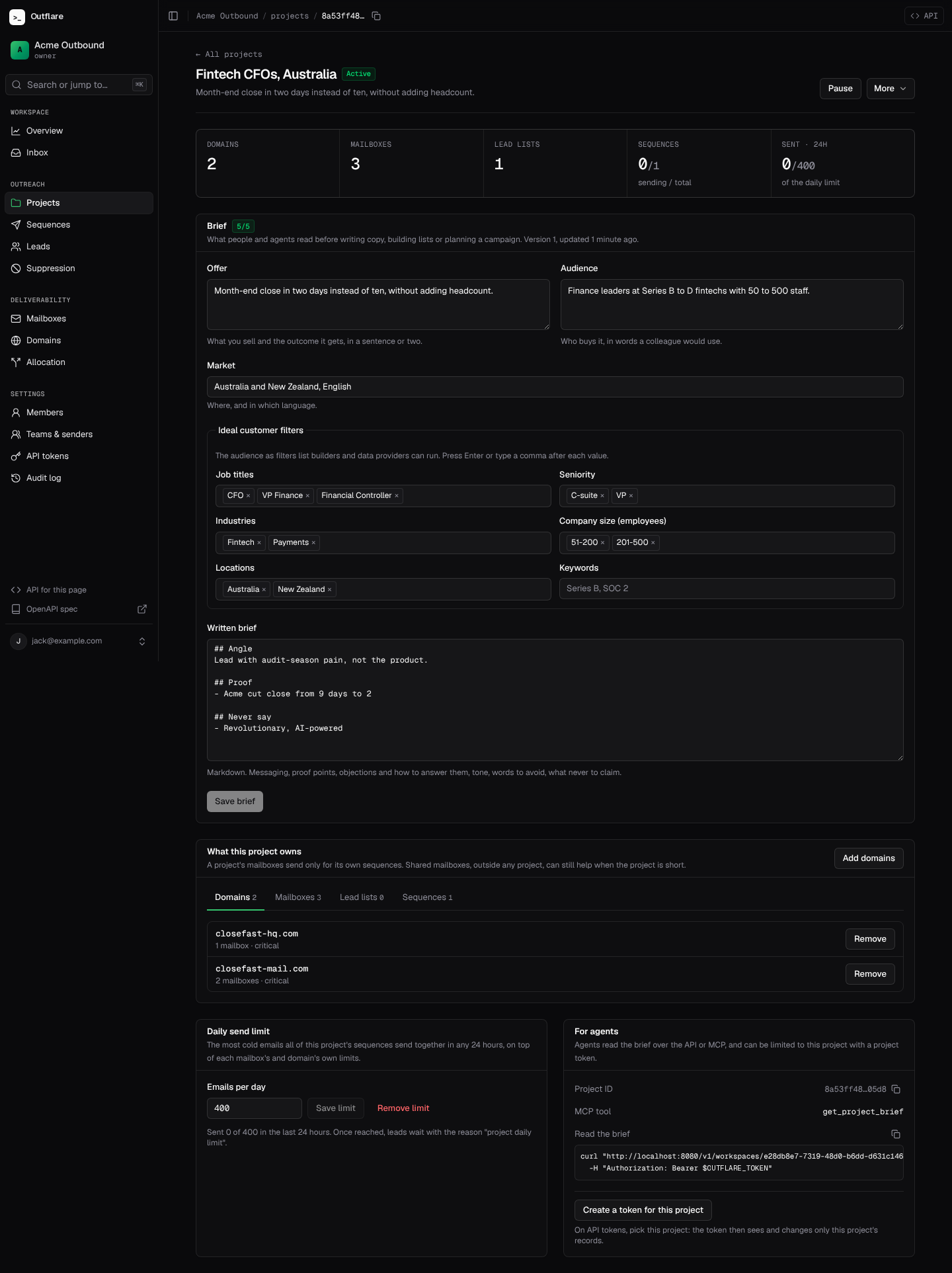
On a project’s page, What this project owns has a tab each for domains, mailboxes, lead lists and sequences. Add opens a picker of records you can move in; Remove makes a record shared again. Moving a domain moves its mailboxes with it.
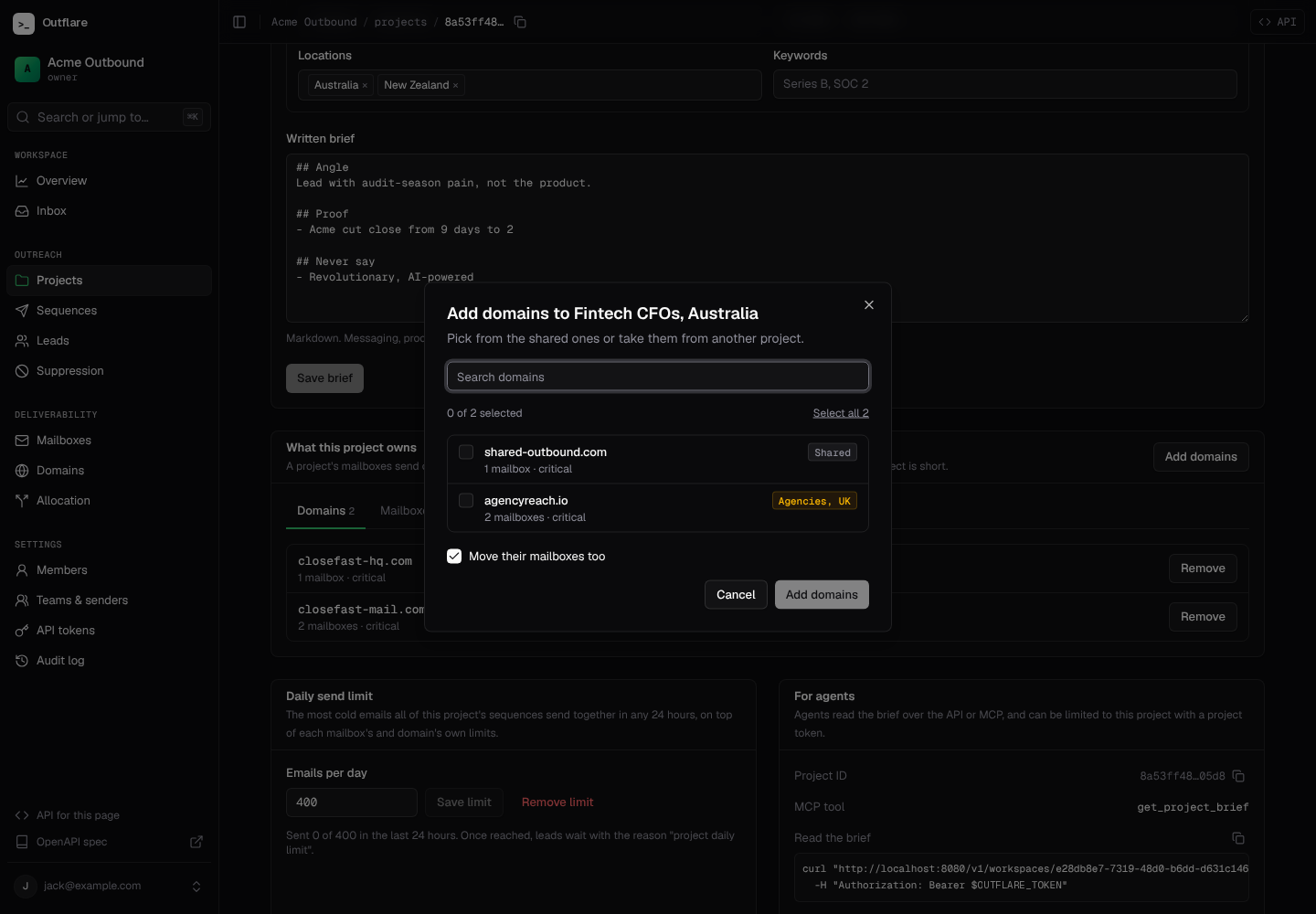
With the API, POST /projects/{id}/add and POST /projects/{id}/remove take any mix of domains, mailbox_ids, lead_list_ids and sequence_ids (up to 10,000 in one call). Each kind needs its own manage scope, as if you were changing those records directly. You can also create a sequence straight into a project with project_id, or move one with PATCH /sequences/{id}.
curl -X POST https://outflare.example.com/v1/workspaces/$WS/projects/$PROJECT/add \ -H "Authorization: Bearer $OUTFLARE_TOKEN" -H "Content-Type: application/json" \ -d '{"domains": ["acme-mail.com"], "sequence_ids": ["'$SEQ'"]}'Every list of domains, mailboxes and sequences takes ?project_id=<id> for one project’s records, or ?project_id=none for the shared ones.
How projects change mailbox allocation
Section titled “How projects change mailbox allocation”Mailbox allocation respects projects:
- A project’s mailboxes send only for that project’s sequences. Assigning one to a sequence elsewhere by hand is refused with the reason.
- A project’s sequences use the project’s own mailboxes first, then shared mailboxes to fill a shortfall.
- Moving a mailbox or sequence to another project frees the mailbox from sequences it no longer belongs with. If it has follow-ups due, it drains first, as always: follow-ups never switch mailbox.
Pause and daily limit
Section titled “Pause and daily limit”Pause project holds every send from the project’s sequences, follow-ups included, without changing each sequence. Resume carries on where they were. Archived projects hold their sends too, drop out of the default list, and can be restored.
The daily send limit (1 to 1,000,000, or none) caps how many emails all the project’s sequences send together in any 24 hours, on top of each mailbox’s and domain’s own limits. The page shows how much of it was used in the last 24 hours.
Leads held by either wait with a reason, and carry on by themselves once the project is resumed or the limit has room:
| Reason | Meaning |
|---|---|
project_paused |
The sequence’s project is paused or archived. |
project_daily_limit |
The project’s daily send limit is used up. |
Agents and project tokens
Section titled “Agents and project tokens”An API token can be bound to one project when you create it, with project_id. The project’s page has a Create a token for this project button that does this for you. A project token is fixed to its project for its whole life:
- It sees only its own project:
GET /projectslists just that one, and other projects answer 404. - It can read and edit its project and brief (scopes
projects.readandprojects.manage), but not create, delete or move records in or out of projects. - It can read its project’s sending domains, mailboxes, sequences and their leads. Records outside the project answer 404, and asking for
?project_id=noneor another project does too. - Every other endpoint refuses it with a 403. Endpoints open to project tokens as they learn to stay inside one project, so a project token can never reach the rest of the workspace by accident.
A project with live tokens can’t be deleted until you revoke them, so no agent is left holding a token for a project that no longer exists.
With the MCP server, list_projects and get_project_brief let an agent find its project and read the brief before writing anything, and update_project lets it improve the brief with the version check above.
API summary
Section titled “API summary”| Endpoint | Scope | What it does |
|---|---|---|
GET /projects |
projects.read |
Projects with their counts and sends in the last 24 hours. ?status=active, paused, archived or all (default: all but archived). |
POST /projects |
projects.manage |
Create a project. Not for project tokens. |
GET /projects/{id} |
projects.read |
One project. |
GET /projects/{id}/brief |
projects.read |
The brief as fields and Markdown. |
PATCH /projects/{id} |
projects.manage |
Change the name, status, brief or daily limit. Send brief_version to guard brief edits. |
DELETE /projects/{id} |
projects.manage |
Delete a project; its records become shared. Refused while it has live tokens. Not for project tokens. |
POST /projects/{id}/add, /remove |
projects.manage plus each record’s manage scope |
Move records in or out. Not for project tokens. |
Every change is recorded in the audit log as project.created, project.updated, project.deleted, project.records_added or project.records_removed. Operators can read and manage projects; viewers can read them. See the API reference for every field.