

Missions
Shipped Missions in the REST API, the MCP server and the web app.
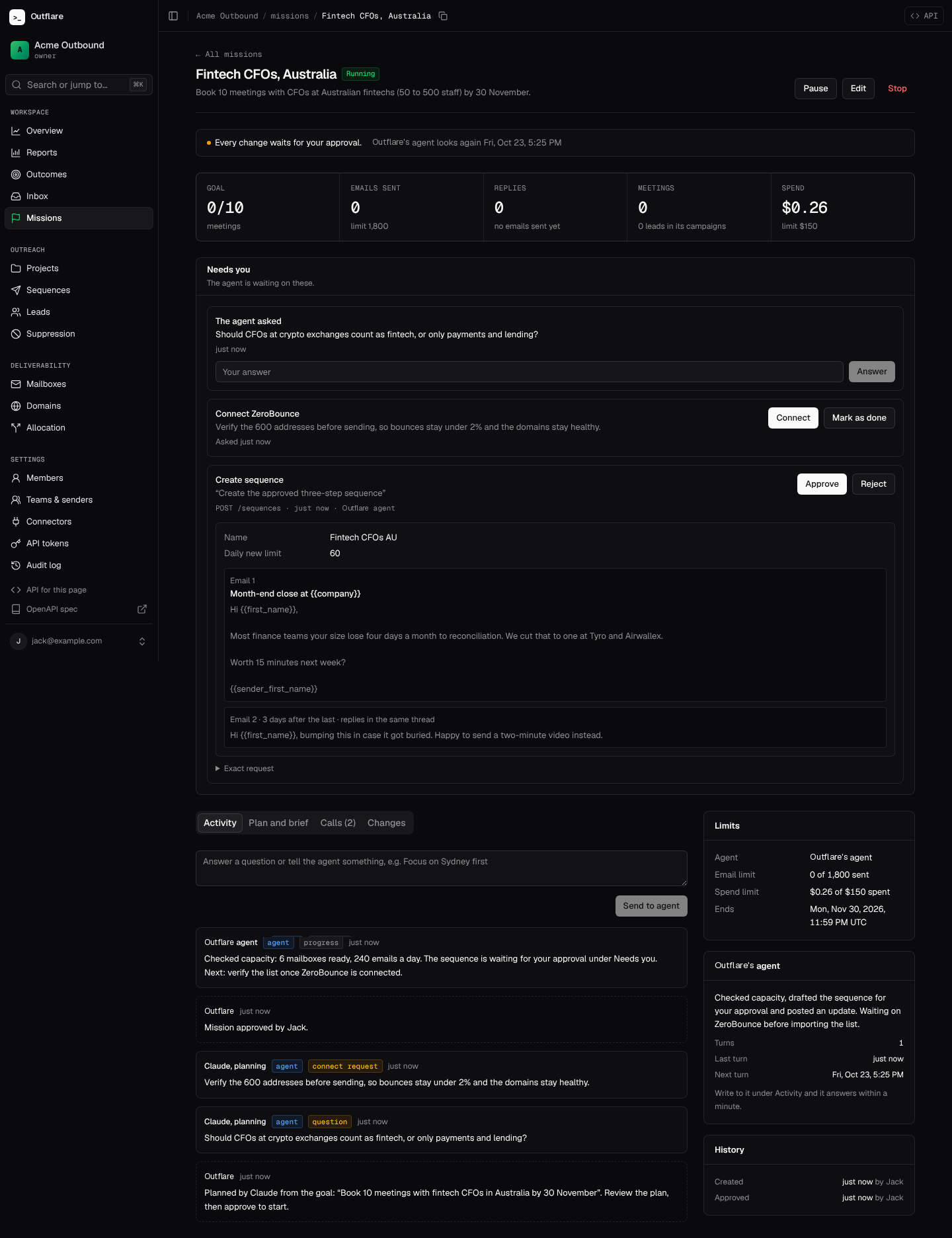
A mission is a goal an agent works toward inside a project, such as “book 10 meetings with fintech CFOs in Australia by 30 November”. Type the goal in plain words and Claude drafts the plan, or let your own agent start one. Either way the agent reads the project’s brief, rehearses, sends you its plan, and works within the mode and limits you approve. You see every call it made and why, approve or reject its changes, answer its questions, and pause or stop it at any time, from the dashboard or over the API.
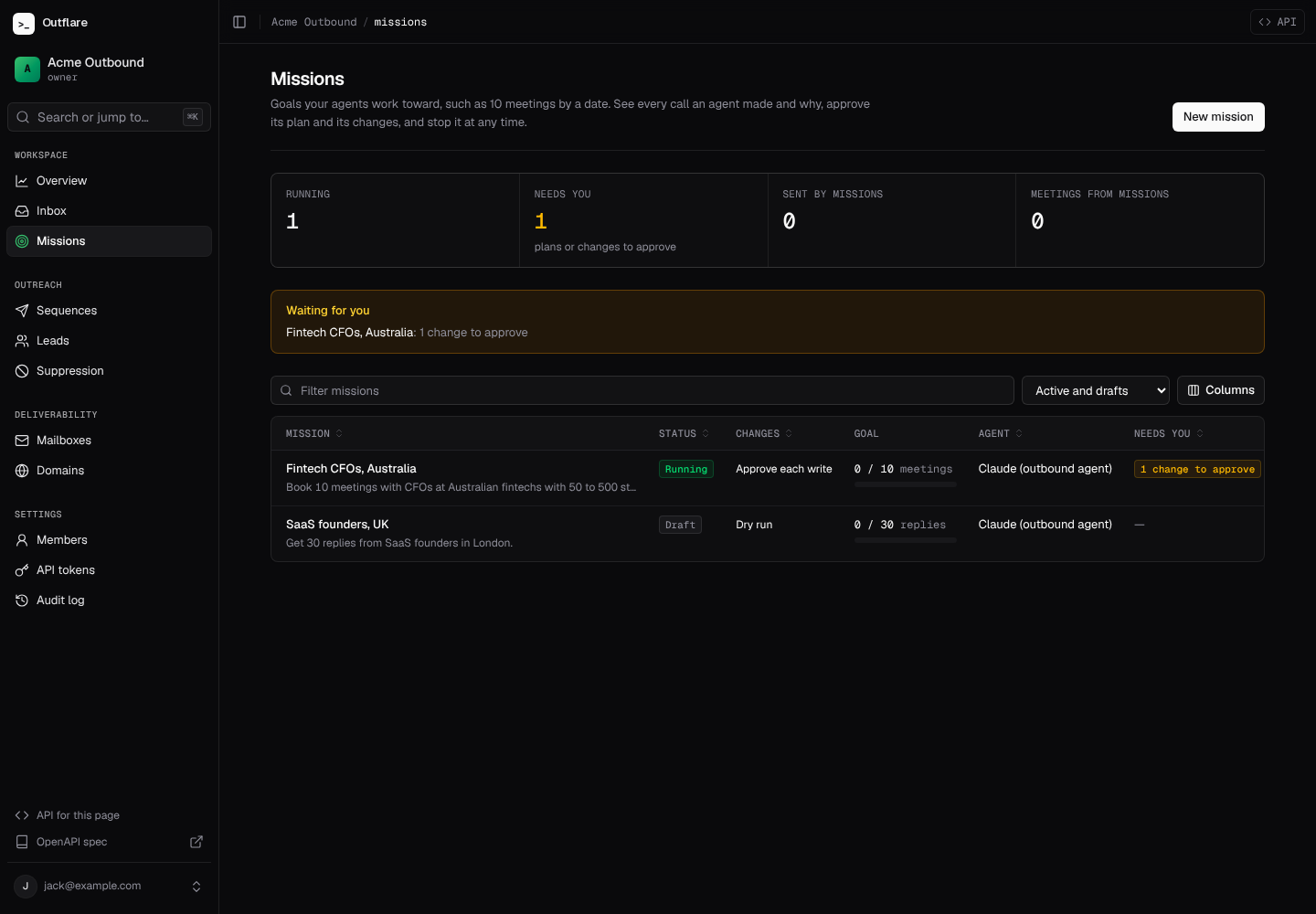
Start from a goal
Section titled “Start from a goal”You don’t need an agent of your own. Connect Claude under Connectors (AI) with your Anthropic API key; usage is billed to your Anthropic account. Then type the goal in the box at the top of the Missions page.
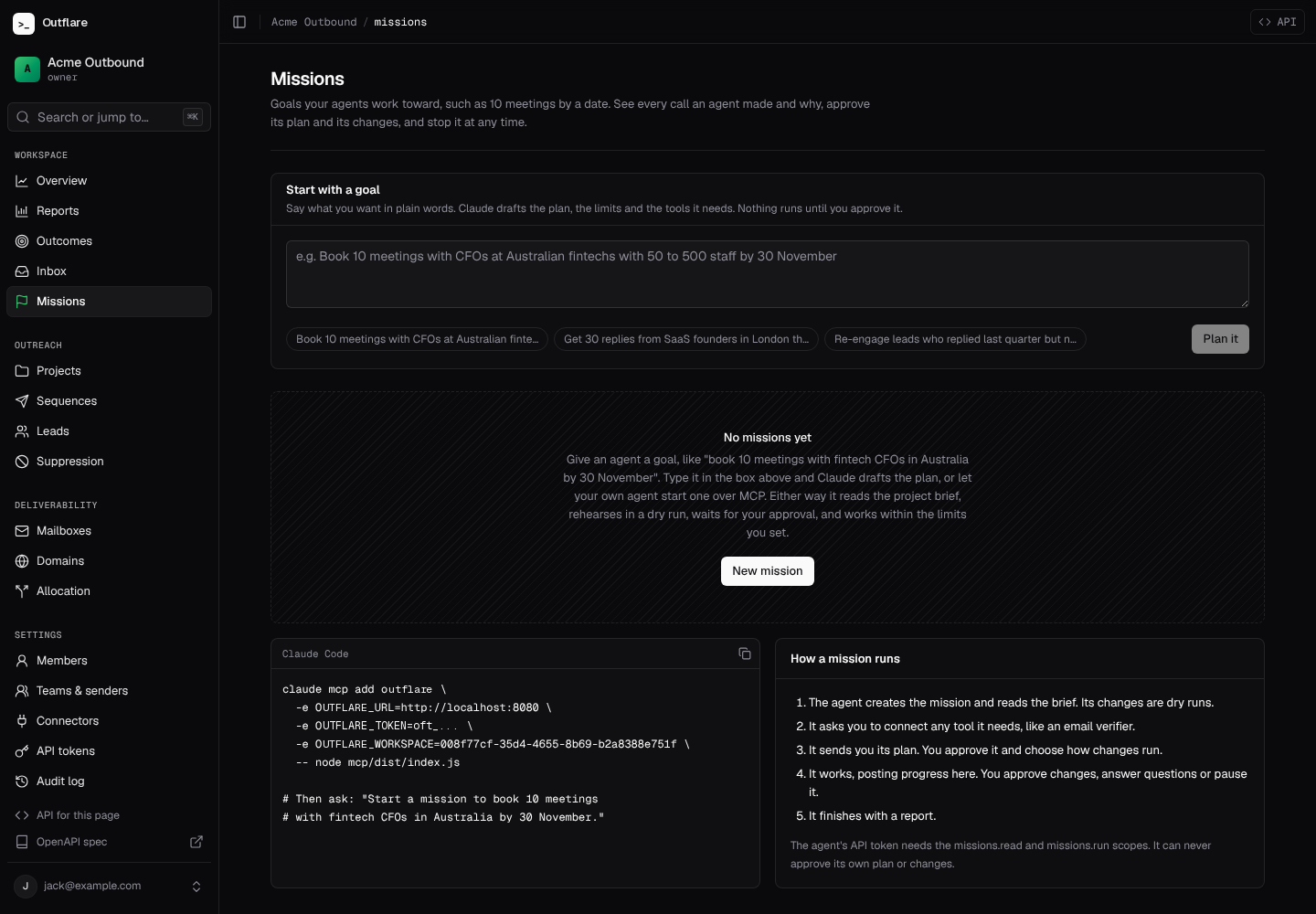
Claude drafts the mission from a summary of your workspace: mailbox counts and capacity, lead and suppression counts, sequence names, the project brief and which connectors are connected. Lead lists, email addresses and credentials are never sent. The draft holds a name, a goal to track, the steps, instructions, email and spend limits, an end date, the connectors it needs (as connect requests) and its questions. It is saved waiting for your approval, so nothing runs yet.
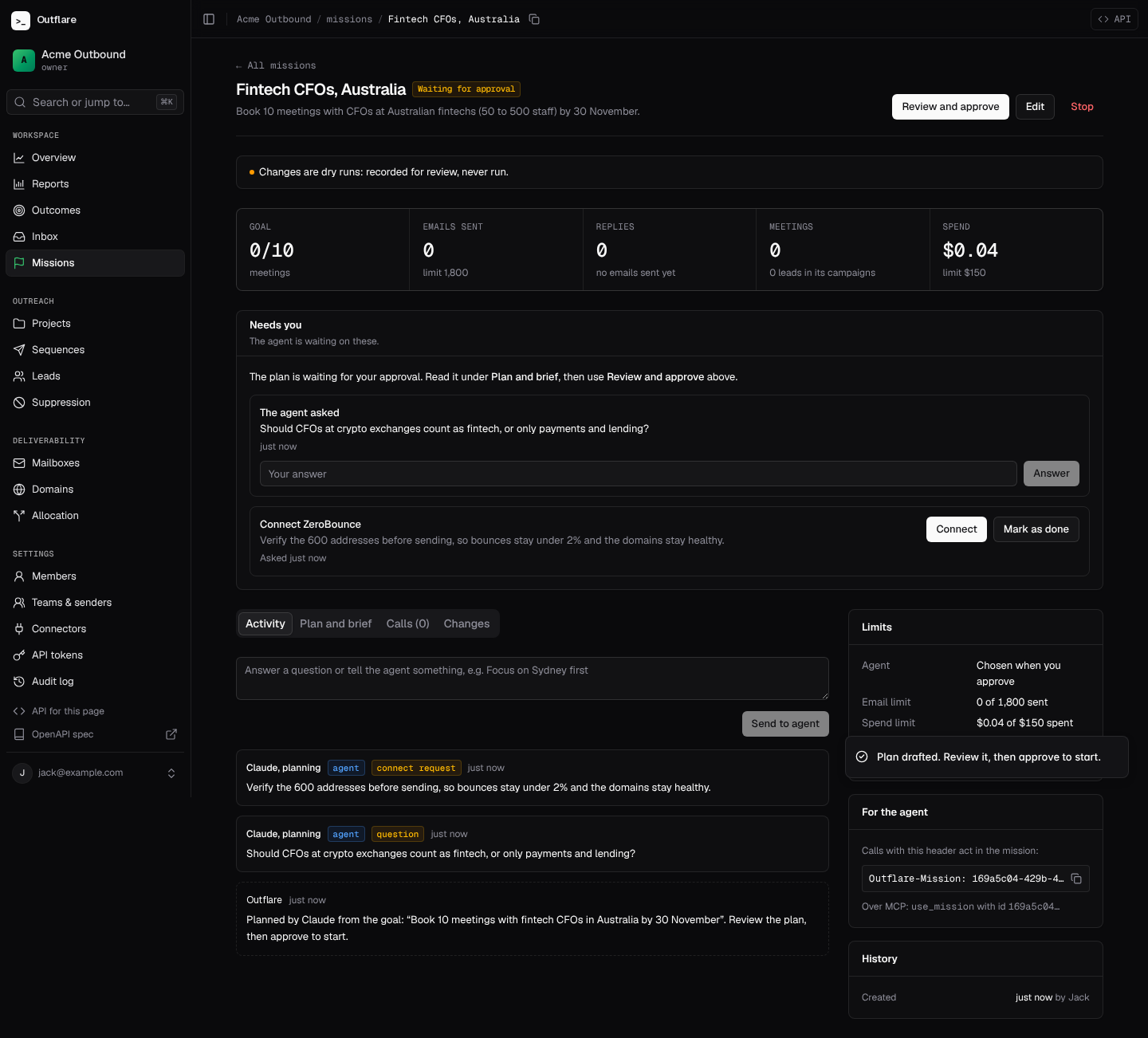
Over the API it is one call, and over MCP the plan_mission tool:
curl -X POST "$OUTFLARE_URL/v1/workspaces/$WS/missions/plan" \ -H "Authorization: Bearer $TOKEN" -H "Content-Type: application/json" \ -d '{"goal": "Book 10 meetings with fintech CFOs in Australia by 30 November"}'Without Claude connected, it answers 409 with connector_needed.
Who runs it
Section titled “Who runs it”When you approve a mission, choose who carries it out.
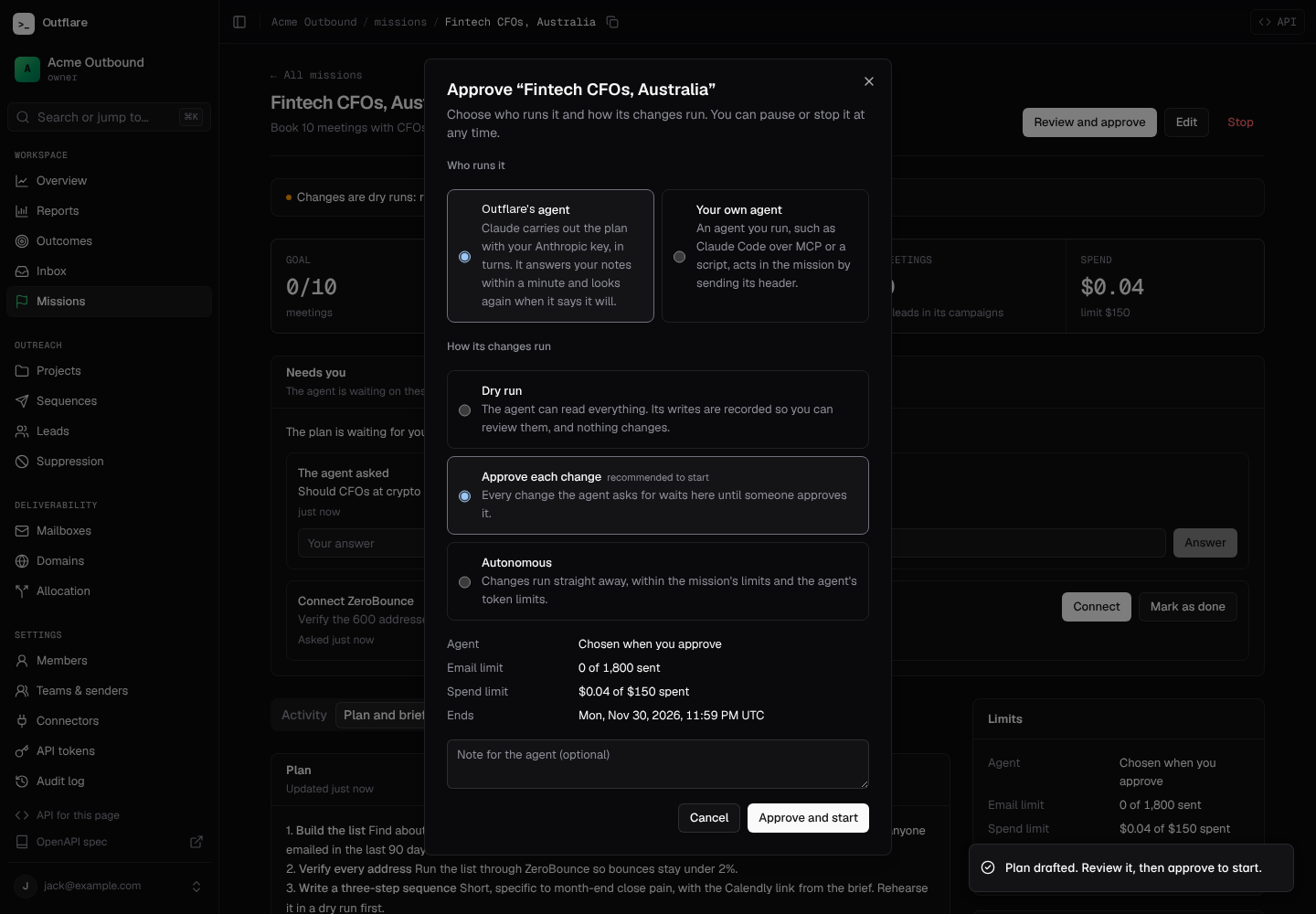
- Outflare’s agent (
"runner": "builtin"). Claude carries out the plan with your key, in turns. It gets an API token of its own: operator scopes, never more than yours, and nevermissions.approve. It goes through the same gate as any agent, so the mode below still decides whether its changes run, wait for you or are dry runs. A turn runs straight away, whenever you write to the mission or decide on a held change, and when the agent asks to look again (15 minutes to a day). Each turn’s cost is recorded in the mission’s spend. If Claude is disconnected, the spend limit is reached, Claude declines, or three turns fail in a row, the mission pauses and says why. - Your own agent (
"runner": "external"), such as Claude Code over MCP or a script. It acts by sending the mission header, as below.
How a mission runs
Section titled “How a mission runs”- The mission is created, by Claude from your goal or by your agent. It starts as a draft or waiting for approval. Nothing it changes in a draft runs: every write is a dry run.
- It reads the brief and rehearses.
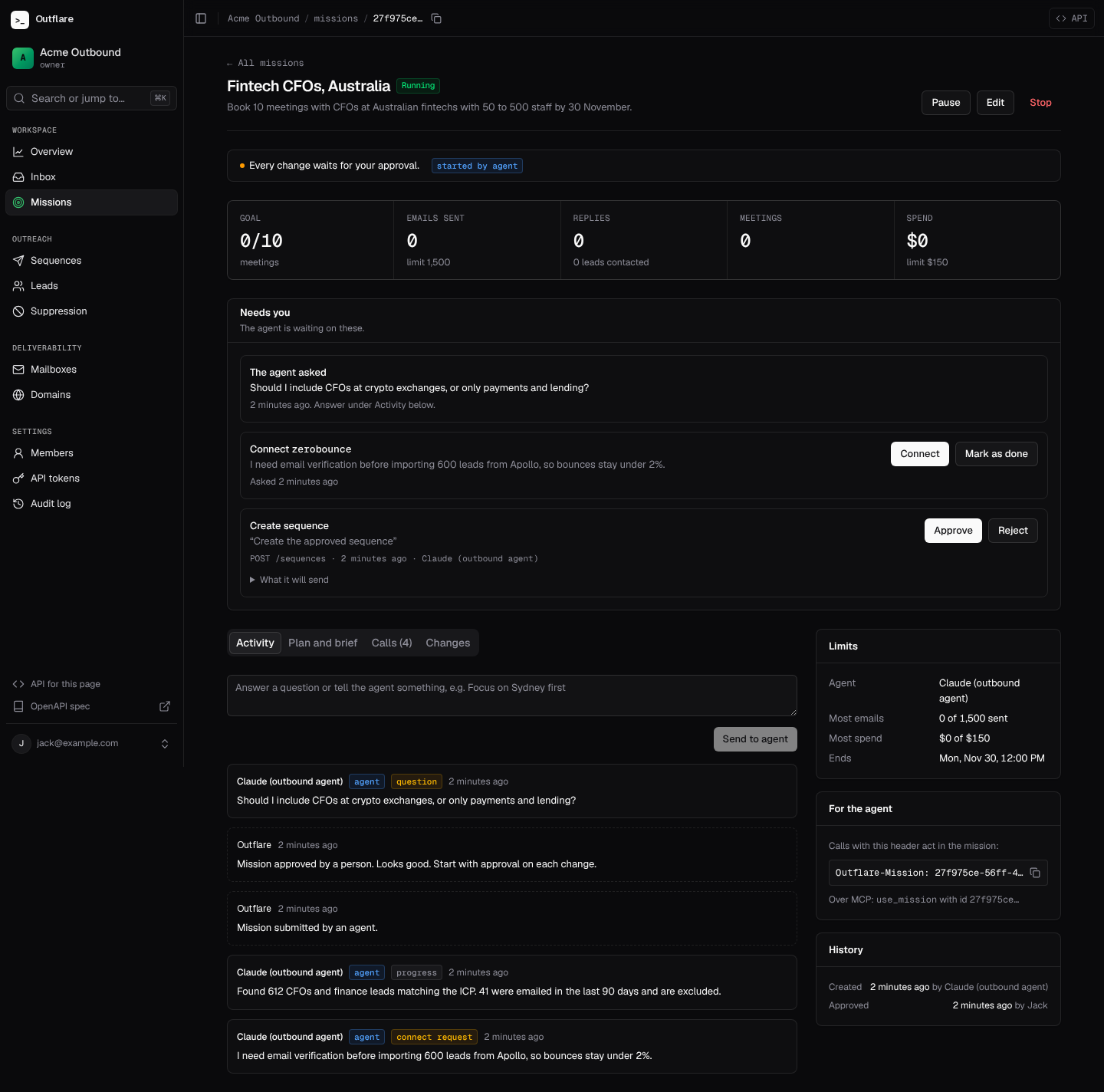
GET /v1/workspaces/{ws}/missions/{id}returns the mission, the project brief, the limits, progress, open requests and your latest notes. - It asks for the tools it needs. If it needs an email verifier or a data provider that isn’t connected, it posts a connect request. You connect it (paste the key or sign in) and mark it done.
- It submits its plan. You approve it and choose how its changes run.
- It works, posting progress and questions. Your messages reach it at its next check-in.
- It finishes with a report. Its sequences are paused.
How changes run
Section titled “How changes run”An agent acts inside a mission by adding one header to its ordinary API calls:
Outflare-Mission: 27f975ce-56ff-4631-9352-a152480d08faOutflare-Reason: Create the approved sequenceEvery call is logged against the mission. Reads always run. What happens to a write depends on the mission:
| Mission | A write |
|---|---|
| Draft, or waiting for approval | Dry run. Recorded, never run. The answer is 202 with the recorded change. |
| Running, Dry run mode | Dry run. |
| Running, Approve each change mode | Held. The answer is 202; the change waits until someone approves it, then runs as the agent. |
| Running, Autonomous mode | Runs, within the mission’s limits and the token’s own limits. |
| Paused | Refused. Reads still work, and its sequences stop sending. |
| Completed, stopped or failed | Every call in the mission is refused. |
A held or dry-run write answers like this:
{ "mission_action": { "id": "…", "summary": "Create sequence", "status": "pending" }, "approval_required": true, "dry_run": false, "message": "Held for approval: a person must approve this before it runs."}The agent polls GET .../missions/{id}/actions/{action_id} for the decision, your note and, once it ran, the response.
Approving a change runs the stored request through every normal check at that moment: scopes, the send policy, token limits and the audit log. Dry runs can be approved the same way once the mission is running, so a rehearsal becomes the real thing in one click.
Limits
Section titled “Limits”A mission’s limits apply on top of the agent token’s sending limits:
- Email limit: every sequence the agent creates in the mission counts, and sending stops at the limit (
mission_send_limitin the send log). - Spend limit: paid connector calls, and Outflare’s agent’s turns, are checked against the spend recorded for the mission before they run.
- Ends on: the mission completes itself at that time.
Changing the mode or limits of an approved mission needs the missions.approve scope.
Who can approve
Section titled “Who can approve”| Scope | Allows |
|---|---|
missions.read |
Read missions, their calls, held changes and updates |
missions.run |
Create missions, act inside them, post updates, submit plans, pause, stop and complete |
missions.approve |
Approve missions and held changes, resume, and change limits |
Owners, admins and operators have all three; viewers can read. An agent can never approve its own mission or its own changes, even with missions.approve: approving must come from a person or from a separate approver token, such as a Slack bot you run.
In the web app
Section titled “In the web app”The mission page shows what the agent is doing now: whether changes run, wait or are dry runs; progress toward the goal; and a Needs you box with its plan, questions, connect requests and held changes, each with what it will send.
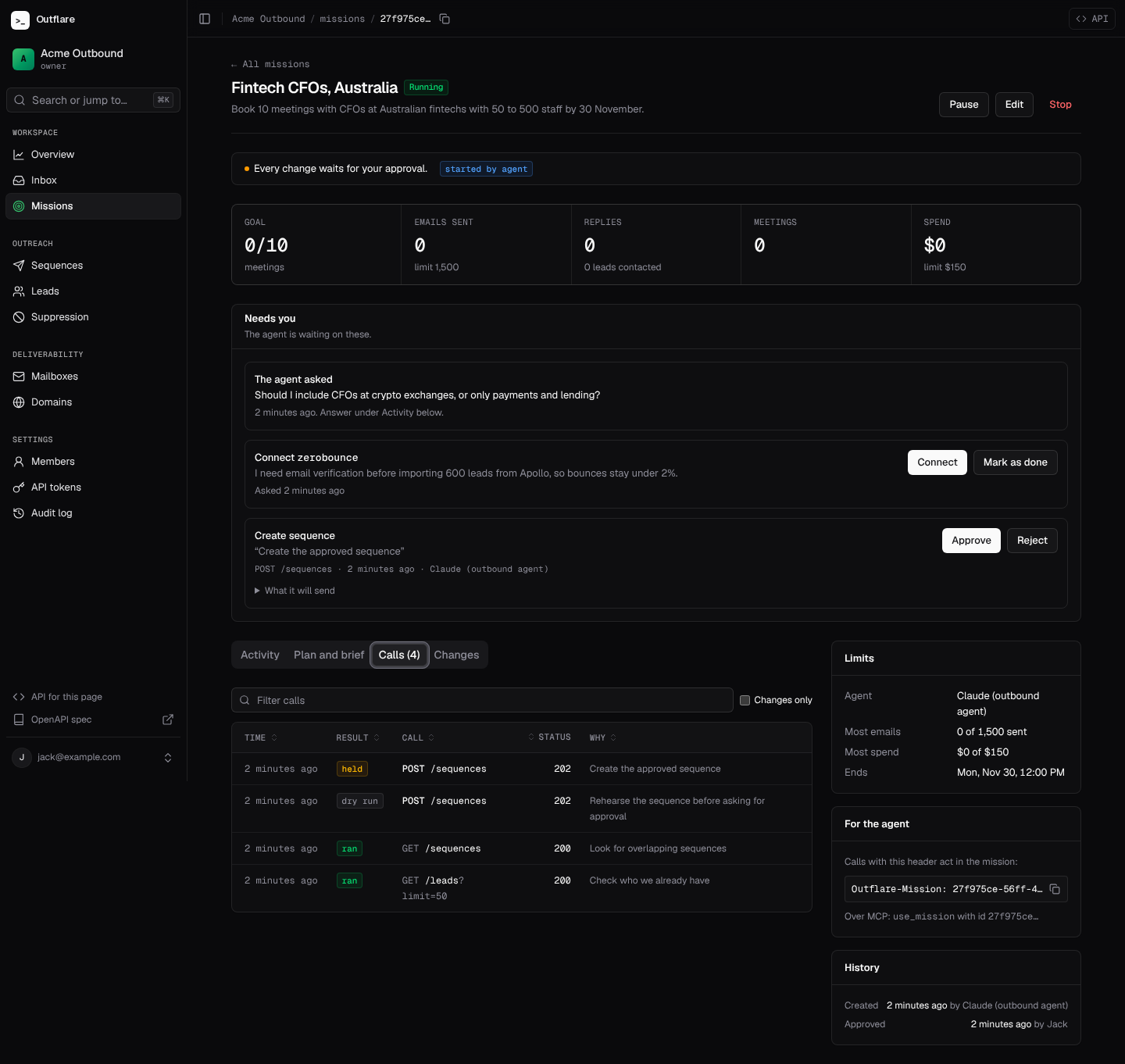
Calls lists every API call in the mission with its result (ran, dry run, held, refused), status and the reason the agent gave. What a change did is in the audit log under the same request id.
Over MCP
Section titled “Over MCP”The MCP server has a tool for each step: plan_mission (from a goal), create_mission, use_mission (from then on every call carries the mission), get_mission, request_connector, submit_mission_plan, post_mission_update, get_mission_action, pause_mission, stop_mission and complete_mission, plus approve_mission, resume_mission and decide_mission_action for approver tokens. Set OUTFLARE_MISSION to start the server inside a mission.
Give the agent the Mission agent preset when you create its token: the outreach scopes plus missions.read and missions.run.
| Endpoint | What |
|---|---|
GET, POST /v1/workspaces/{ws}/missions |
List and create |
GET, PATCH .../missions/{id} |
Check in (with the brief and notes); change |
POST /v1/workspaces/{ws}/missions/plan |
Claude drafts a mission from a goal |
POST .../missions/{id}/submit, /approve |
Send the plan; approve and choose the mode and who runs it |
POST .../missions/{id}/pause, /resume, /stop, /complete |
Control it; finish with a report |
GET .../missions/{id}/calls |
Every call, newest first |
GET .../missions/{id}/actions, .../actions/{action} |
Held and dry-run changes |
POST .../actions/{action}/approve, /reject |
Decide on a change |
GET, POST .../missions/{id}/updates |
Notes, questions, instructions and connect requests |
POST .../updates/{update}/resolve |
Close a connect request |
GET /v1/workspaces/{ws}/mission-actions |
Every change waiting for approval |
See the endpoint reference for the fields.